Squarespace Forms Are Not HIPAA-Compliant. Here’s What to Do Instead.
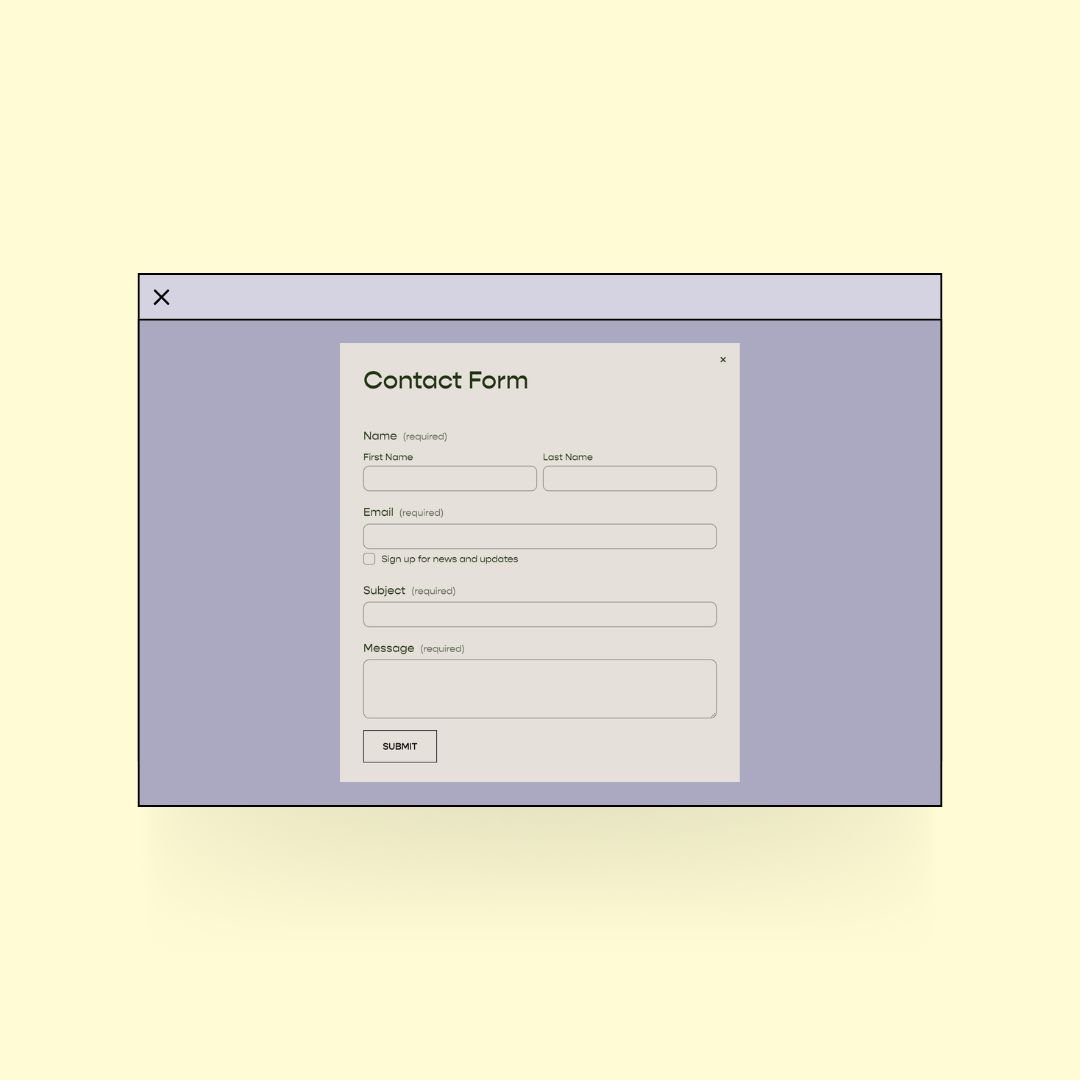
Post updated 05/13/26 with new options
Squarespace is my go-to for all things websites. Except for this one area: forms. 🤦♀️
Don’t get me wrong, Squarespace forms are beautiful but they are not HIPAA-compliant by default. Because I serve therapists I have been on the hunt for good alternatives and that’s what I want to share with you today!
Note: The options I share about today work on any major website platform (Wix, Wordpress, Weebly, etc), not just Squarespace.
Why does it mattter? HIPAA requirements are tightening every year.
Healthcare cybersecurity has been under increasing scrutiny from regulators, and for good reason. In the five years between 2018 and 2023, reports of large healthcare breaches increased by 102 percent — and the number of individuals affected by those breaches increased by over 1,000 percent. In 2023 alone, more than 167 million individuals were affected!
In response, HHS has been steadily strengthening its guidance and enforcement around how patient data is protected.
The specifics are still evolving, so I'd encourage you to keep an eye on HHS's official HIPAA updates page for the latest. But the broader direction is clear: regulators want healthcare providers to take cybersecurity more seriously, and that includes the tools you use to collect information from clients–like your contact form.
Note: I’ve linked the official HHS release above, but if you want something in regular human language 😂 that includes action items, check out this article:
HIPAA Security Rule updates: What it Means for Small Healthcare Practices*
Why Squarespace forms are not HIPAA-compliant by default (you need to know what to click)
When visitors fill out a form in Squarespace, all the information will get stored in a profile in the “Contacts” section of your site unless you do these two things:
Make sure the email field in your contact form is NOT set to "required." When the email field is required, Squarespace automatically stores that contact in your Contacts database. If you set it to optional, this info doesn’t get saved.
Make sure the email sign-up toggle is turned off. This is a setting within your form block. If it's on, Squarespace will add form submitters to your mailing list and store their info in Contacts.
To be clear: this reduces the risk of PHI being stored in Squarespace, but it does not make Squarespace forms fully HIPAA-compliant. Data still passes through Squarespace servers in transit. If you are going to use a Squarespace form, at the very least, make sure it is connected to a HIPAA-compliant email or Google Sheet.
For most therapists, the options below are still the safest approach.
What are the best HIPAA-compliant alternatives to Squarespace forms?
I have been searching high and low the past year-even having meetings with various form creation platforms–and I’m psyched to tell you that I have found some options that are actually affordable for your every day private practice owner (because believe me, there are options out there that will run you $100/month or more-eep!).
Option #1 Don’t have a form at all!
Many of my customers and clients have been opting to just list their email on their contact page and in their website footer and calling it good.
Of course, there are advantages and drawbacks to this approach.
Pros
No worries about HIPAA.
Easy. Just add your email and that’s it.
Cons
It adds friction for the client because they have to take an additional step (or even multiple steps) to contact you.
Increased friction means less likelihood that potential clients will contact you.
Forms allow you to collect specific information that you might want upfront from a potential client. No form, no info.
Option #2: Hushmail Forms*
Hushmail is HIPAA-compliant email service for healthcare providers. They’ve been in the game a long time (with over 4 stars on both Trustpilot and Capterra!).
They offer secure forms that you can customize with their drag & drop form builder and then embed those directly onto your website!
Here’s an example of a website that uses a Hushmail form:

Pros
Questions are totally customizable.
Less than $25 a month (way less than other products out there).
You can use it to collect secure online signatures too!
Embed it directly onto your site so visitors don’t have to click away to a third-party.
You can now use Hushmail forms with any email account! You don’t need Hushmail email for it to work perfectly.
Cons
You can’t change fonts or colors (though it does blend with the background color of your site).
Are Hushmail Forms right for your practice?
If you don’t already have a HIPAA-secure email account set up and your top priority is protecting PHI, and you don’t have a huge budget, this is an awesome option.
What if I already have an EHR? Is Hushmail still worth it?
If you already have an EHR, I would check out these articles:
*4 reasons to use secure email (even if you have EHR messaging)
*5 ways to use Hush™ Secure Forms (even if you have an EHR)
BTW, if you want an even further deep dive on using online forms, this article *Online forms explained: FAQs and insights into Hush™ Secure Forms is excellent!
Option #3 Use Google Forms
Google Forms comes with Google Workspace. It’s really important to note that:
You must have the paid version (aka, not regular gmail which is free).
You must sign a BAA with Google Workspace for it to be HIPAA-compliant.
It’s easy to sign the BAA and it doesn’t cost anything extra. Learn more about using Google Workspace for your therapy practice.
-
Here's the latest guidance as of Oct. 2024:
Sign in to your Google Admin console.
(make sure you are signed in using the main account that has "super administrator privileges")
In the Admin console, go to:
Menu -> Account -> Account Settings -> Legal & Compliance
Go to the Security and Privacy Additional Terms section.
Click Google Workspace/Cloud Identity HIPAA Business Associate Amendment to review the amendment.
Click Review and Accept and answer all three questions to confirm that you are a HIPAA covered entity.
To accept the HIPAA BAA, click OK .
Here's the original documentation link for Google where you can check for updates in case they've changed!
Pros
Inexpensive. Google Workspace starts at just $6/month.
Add any questions you want with their form builder.
You can embed a Google form directly into your website by grabbing the embed code provided by Google.
Cons
Styling options are very limited, so if you have a beautifully designed site it will stick out like a sore thumb!
You can link out to the form instead, but that will bounce people off your site and we want to avoid that if possible.
You can’t use it to collect signatures for paperwork.
Final Thoughts on Using Secure Forms for Your Therapy Website
HIPAA regulations are becoming stronger in order to serve and protect patients better. Yes, I totally hear you that it’s a pain. As a former therapist, I remember stressing over this stuff too!
But, keeping in mind your patients and the sensitive info they share with you, and the way laws change (in the US anyhow) in such a way that may impact how health info gets used or even used against patients. And of course I don’t have to remind you of legal or license issues.
So even though it is an absolute pain, it’s well worth the time, consideration and investment to keep you and your clients safeguarded in our ever-changing healthcare world!