Why Clients Leave Your Therapy Website Without Booking (and How to Fix It)

Someone lands on your website. They read a little. They're interested but…the next step is unclear. So they leave. The likely cause? Your navigation.
Navigation=what tells your visitor: here's where you are, here's what's available, and here's what to do next.
When it works, it almost goes unnoticed, people move through your site naturally and reach out. When it's lacking, they meander, they might get frustrated, and leave without ever contacting you.
But, here’s some good news: navigation problems are fixable! Here are five things to look at on your website and how to fix them.
First, let's get oriented to the basic parts of a website
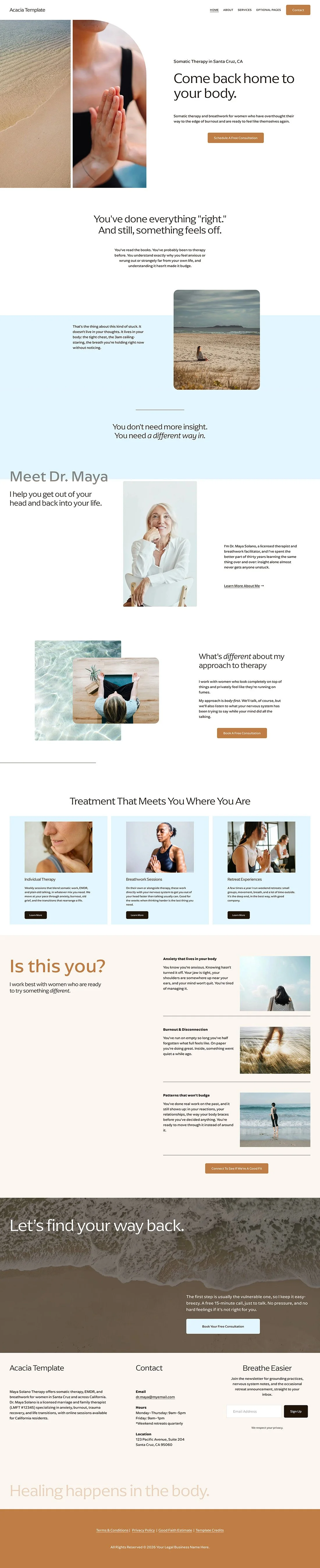
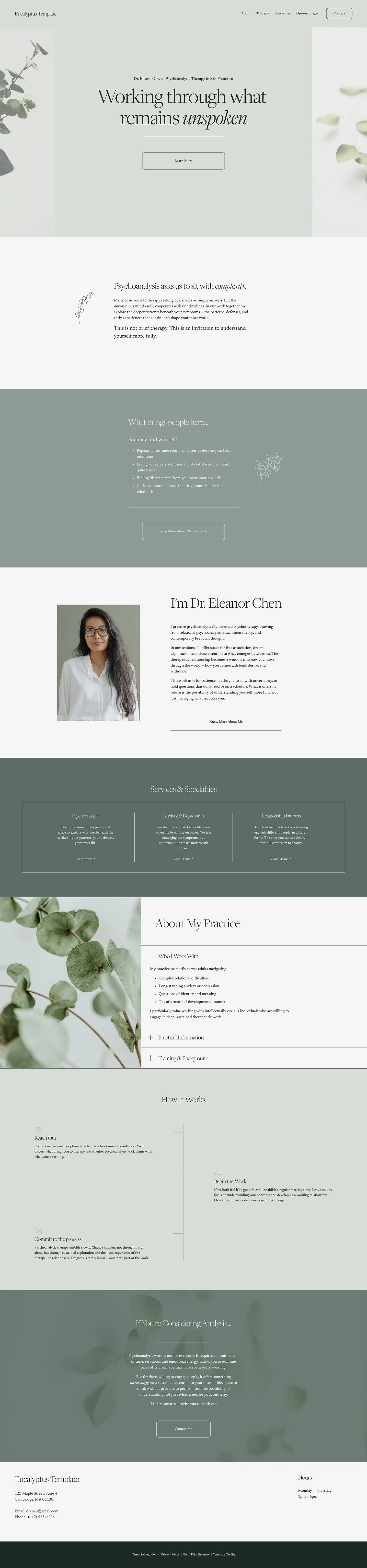
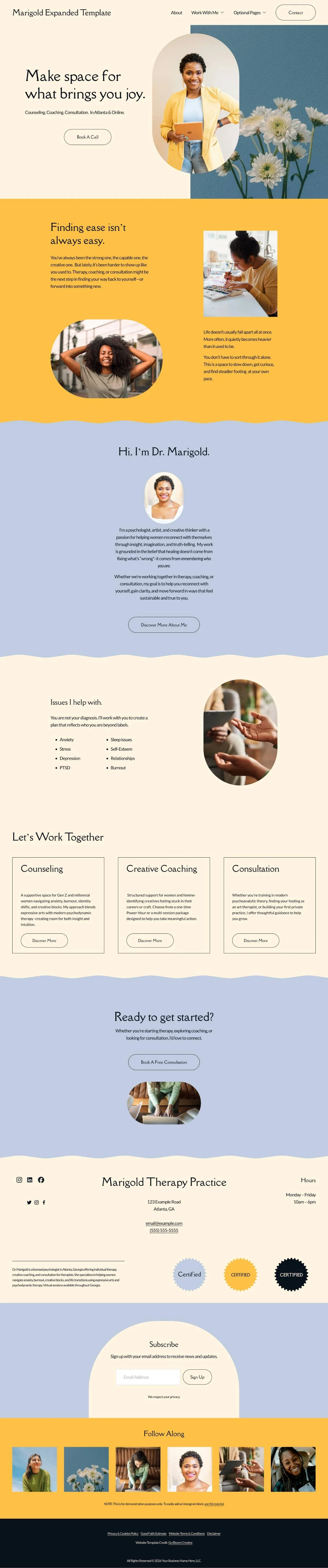
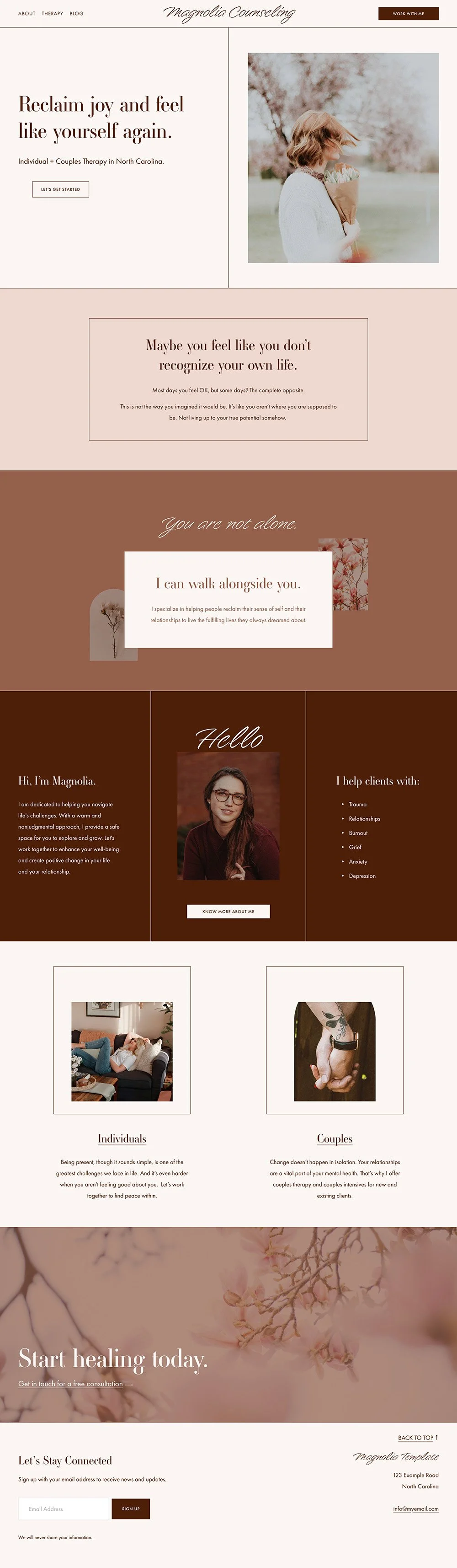
Before we get into the specifics, here's a quick breakdown of the main areas of a website so you know what the heck I’m talking about:
Check these parts of your site
1) Your main menu
Your main menu (links at the very top of page) is the most visible navigation on your site.
The most important thing here is: clear over clever.
This is not the place for creative naming. "Begin your journey" might feel poetic, but it doesn't tell someone where they're going. "Contact" does.
Visitors scan menus quickly. If they can't immediately tell what's behind a link, they move on.
Top things to check for:
Are you using familiar, conventional page names? (About, Services, Contact–these work because people already know what they mean)
Do you have 5 to 7 items maximum? More than that gets overwhelming
If you have a lot of services, are they organized under a dropdown menu or a services overview page?
Does your menu work on mobile? Are the links big enough to easily click? In Squarespace this is built in, but always test it on your actual phone before you publish
“Should I have a "Home" link in my main menu?”
The general guidance used to be: skip it. And that's still reasonable advice. If your main menu is getting cluttered, the Home link is the first thing to cut.
That said, current user experience research has shifted slightly. Many visitors arrive through a page other than your homepage (e.g. a blog post or service page) and bypass the homepage entirely.
A visible Home link gives them a clear reset point. There's also an accessibility angle: someone with low vision may use a device called a screen reader, which navigates your site by keyboard. Not having the link may make the homepage harder to reach.
Either way, it’s not a hill to die on. If your menu has room, keep it. If you need to streamline, that's the first item to drop. And ultimately you know your clients best.
2) Your homepage
It’s true that these days, not everyone lands on your homepage first. But the majority of people do. And people who are actively considering becoming your client will definitely find their way there.
When they do, your homepage has one job: orient them fast and point them where to go next.
This is where a lot of therapists run into trouble. The homepage feels so important that it becomes the place to share everything. A long personal story. A detailed mission statement. Paragraph-length descriptions of every service.
The result is a page that's overwhelming to read and doesn't help lead to a decision.
Here's a more useful way to think about it: your homepage’s job is to answer three questions quickly, and then get out of the way.
The three questions your homepage needs to answer (quickly):
Is this a therapy practice? (Sounds obvious, but you'd be surprised by how many sites require you to dig way down into the page to find that info.)
Where do you offer services? (Location, state, virtual, etc. They need to know right away if you are a therapist they can actually see or not since you can only see those in states where you are licensed.)
Do they work with what I'm dealing with? (A general sense of your specialty or client focus, enough for someone to know whether to keep reading.)
Once a visitor has those three answers, they can make a real decision about where to go next.
Top things to check for:
Does your “hero section” (the very top of your homepage) make clear that you are a therapist/therapy practice?
Is your location or service area visible near the top of the page?
Do you give visitors a clear but brief sense of who you work with and what you help with?
Does each section on your homepage introduce a topic and then link or point somewhere deeper, rather than trying to cover everything in one place?
The Takeaway: a homepage that tries to say everything ends up saying nothing. Give visitors enough to know they're in the right place, then trust your other pages to do the rest.
3) Calls to action
A call to action (CTA) is any prompt that tells your visitor what to do next. “Book a consultation.” “Learn more about my services.” “Join my newsletter.” “Get in touch.” “Reach out today.”
Every page on your site needs at least one. Without it, it’s like leading someone to the end off a hallway with no door.
Top things to check for:
Does every core page (home, about, services) end with a clear next step?
Are you using buttons rather than plain text links for primary CTAs? (Buttons get clicked more, they're just more satisfying to press 🤷🏼♀️)
Are your CTAs specific and clear? "Schedule a free consultation" is clearer than "get started"
Do you have secondary CTAs for visitors who aren't quite ready to reach out? Something like "learn more about my approach" or "read the FAQs" keeps them on your site longer
For a full breakdown of how to use CTAs well (including the difference between primary and secondary CTAs and where to place them) check out this post: How to use calls to action to make your therapy website more engaging.
The Takeaway: a visitor who resonates with your content but can't figure out what to do next is a missed connection. CTAs help your visitor take the action you’d like them to take.
4) Your footer
IMO, the footer is the most underused piece of real estate on most therapy websites. People often treat it as an afterthought.
Here's the thing: a lot of visitors navigate a site using the footer. If they've scrolled to the bottom and still haven't found what they need, the footer is where they go looking. It's also where people expect to find the practical stuff:your contact info, your location, legal pages.
What belongs in a footer:
Your business name and contact information (email, phone, location or service area)
Links to your legal pages (privacy policy, terms, good faith estimate)
A newsletter signup or social media links (if using)
A small selection of key page links for anyone who is lost (it does not need to be a copy of your entire main menu)
A note on footer links and SEO:
You may have heard (maybe even from me, because I used to tell people this!) that loading your footer with links to every page on your site is good for SEO. This is outdated advice. Google's current guidance (2025) treats footer links as navigation, not an SEO tactic. They carry very little ranking weight, and too many footer links can actually work against you by diluting your site's link equity.
Keep it simple and focused. Include what genuinely helps your visitor find something they need. That's it.
Top things to check for:
Can someone find your contact information without scrolling back to the top?
Are your legal pages accessible from the footer? (Privacy policy at minimum)
Does your footer have a clear, organized look — not a wall of links?
If you have a newsletter, is there a simple signup option here?
The Takeaway:your footer is like a safety net. It catches the visitors who didn't find what they needed above and gives them an anchor and a next step.
5) Accessibility in navigation
Navigation and accessibility are closely connected. A site that's easy to navigate by sight may still create barriers for visitors using assistive technology, such as screen readers, keyboard navigation, or other tools.
This matters on every website, but especially on yours. The people looking for a therapist are often in a vulnerable moment. You don't want the design of your site to be one more thing that excludes them.
A few easy accessibility basics to keep in mind:
Use clear, descriptive headings throughout each page. Headings aren't just visual — screen readers use them to help users navigate and understand what a page is about. (More on this in this post: How headings improve your website's accessibility and SEO)
Make sure your text has enough contrast against your background to be readable for people with low vision
Add alt text to your images so screen readers can describe them to users who can't see them
For a fuller introduction to web accessibility and practical steps you can take without it becoming overwhelming check out my post: Making your therapy website more accessible to all visitors.
The Takeaway: accessibility isn't a bonus feature. It's part of making sure the right people can actually find you and feel welcome when they get there.
A navigation checklist
Run through this before your site goes live — or when you're doing a refresh on a site that's already up.
Main menu:
5 to 7 items maximum
Clear, conventional page names (not clever ones)
Services organized logically & compactly
Tested on mobile (on your actual phone, not just the preview)
Homepage:
Top section makes clear this is a therapy practice, right away
Location or service area visible at the top of the page
Clear sense of who you work with, without diving into great detail
Each section introduces a topic and points somewhere deeper
Calls to action:
Every page ends with a clear next step
Primary CTAs use buttons, not plain text links
At least one secondary CTA on each page for visitors who aren't ready to reach out yet
Footer:
Contact information visible without scrolling up
Legal pages linked (privacy policy at minimum)
A few key page links (not a copy of the whole main nav)
Accessibility:
Headings used correctly and consistently throughout
Text has sufficient contrast to be readable against the background
Images have alt text
Final Thoughts
When navigation works, it's invisible. Your visitor just... moves through your site. They find what they need, they feel oriented, they reach out.
Many times, clients aren't leaving your website because your copy isn't good enough or your design isn't fancy enough. They're leaving because the path wasn't clear.
If you'd rather start with a design that has the navigation structure, CTA placements, and page flow already built in, that's exactly what my Squarespace templates for therapists are for! You focus on the content. The template handles the rest.
And if you want to go deeper on design principles alongside navigation, the companion post to this one is worth a read: Therapy website design for non-designers: what works, what doesn't, and why.